Here’s the twist: a recent headline claimed that if you haven’t updated to Android 17, you’re missing absolutely nothing. Turns out, that journalist was either lying or just hadn’t looked closely enough.
When Google officially rolled out the latest OS update to its Pixel lineup, they didn’t just tweak a few icons. They fundamentally changed how the operating system handles privacy, artificial intelligence, and even your thumb fatigue. The claim that this is a "skip-worthy" update ignores some of the most significant under-the-hood changes in Android history.
The Privacy Overhaul That Actually Matters
Let’s start with the stuff that keeps you safe. For years, Android has been playing catch-up with iOS on privacy. With Android 17, Google finally pulled ahead in specific areas. You can now grant apps temporary location access—meaning that ride-share app doesn’t need to know where you live after the trip ends. Even better? You can share only specific contacts instead of handing over your entire address book. It’s granular control we’ve been begging for.
But the real game-changer is in the Find Hub app. If you lose your phone, the new "Mark as Lost" feature locks the device behind biometric authentication. This means even if a thief somehow knows your passcode, they can’t get in. They also can’t turn off Wi-Fi or Bluetooth to kill tracking. It’s a small detail, but it closes a massive security loophole that existed in previous versions.
Gemini Intelligence: More Than Just Hype
Now, let’s talk about the elephant in the room: AI. Google isn’t just slapping chatbots onto everything; they’re embedding Gemini Intelligence directly into the OS logic. One standout tool is called "Rambler." It’s an upgraded speech-to-text engine that actually understands human speech patterns—including pauses, corrections, and filler words like "um" and "ahh." It formats these naturally, making dictation feel less like talking to a robot and more like talking to a secretary.
Then there’s "Create My Widget." Instead of hunting through menus, you simply describe what you want, and Gemini generates a custom widget tailored to your needs. These widgets sync across devices, including Wear OS watches. While some features are rolling out gradually, the foundation is here now, promising deeper integration with Gmail, shopping carts, and task management later this year.
Quality of Life Tweaks You’ll Notice Immediately
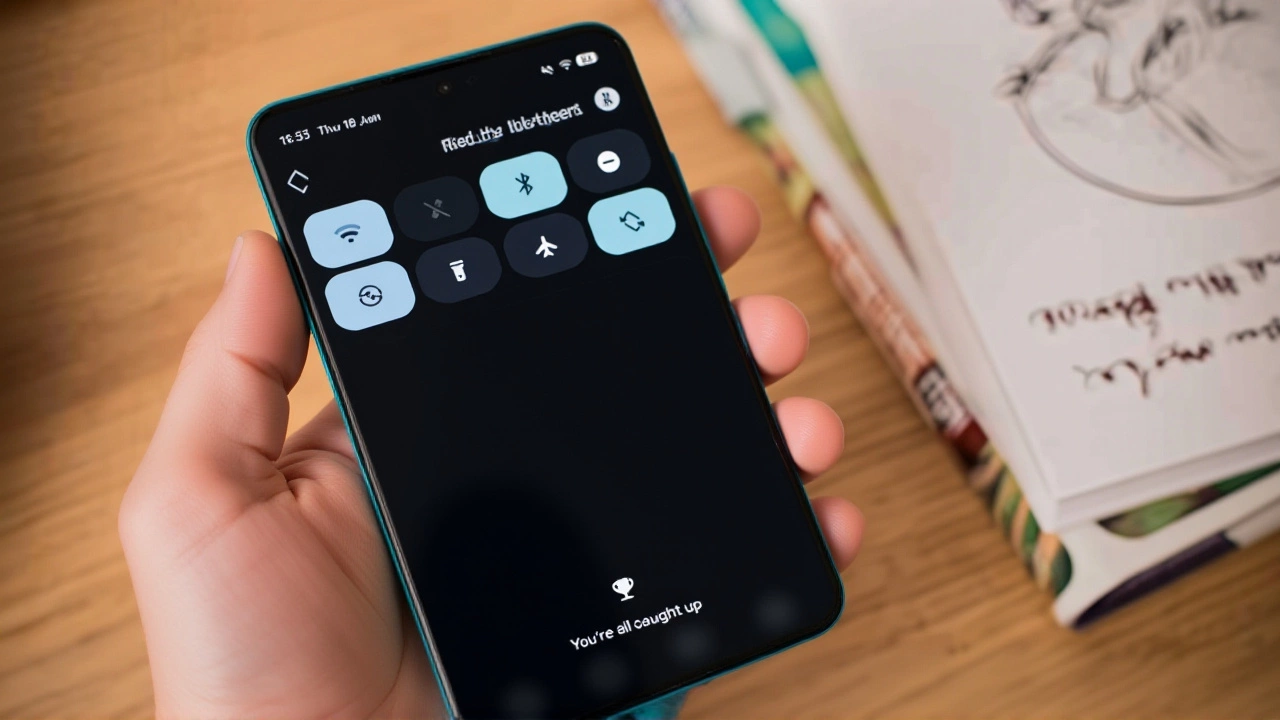
Sometimes the best updates aren’t flashy—they’re just sensible. Android 17 separates the Wi-Fi and mobile data toggles in the quick settings panel. Finally! No more accidentally killing your internet connection because you just wanted to switch from cellular to Wi-Fi. Turning on mobile data now requires a confirmation prompt, preventing those surprise data overages when you forget you’re not on home Wi-Fi.
For parents, the new "App store filters" allow age-based restrictions for apps, movies, TV, and books separately. And for digital well-being, check out "Pause Point." Mark an app as distracting, and Android will force a 10-second pause screen before letting you open it. During that time, it suggests breathing exercises or other activities. It’s a nudge toward healthier habits that feels surprisingly effective.
What About Performance?
Under the hood, Android 17 introduces strict app memory limits. Apps can no longer hoard RAM unnecessarily, which should translate to smoother performance and better battery life, especially on mid-range devices. Developers have already confirmed platform stability with Beta 3, meaning the API surface is locked and optimized for final compatibility testing.
Visually, you’ll notice redesigned 3D emojis (rolling out later this year), a cleaner notification shade that says "You are all caught up" instead of "No notifications," and a new "Comfort View" display filter that softens the screen’s color palette to reduce eye strain. It’s subtle, but it makes a difference during late-night scrolling sessions.
Is It Worth the Update?
The headline claiming you’re "missing nothing" couldn’t be further from the truth. Whether you care about tighter privacy controls, smarter AI assistants, or just not losing your mind over tangled Wi-Fi toggles, Android 17 delivers tangible improvements. While some advanced Gemini features will arrive in subsequent Quarterly Platform Releases (QPRs) around the anticipated Pixel 11 launch window in August or September, the core experience is significantly richer right now.
Frequently Asked Questions
Which devices support Android 17?
Currently, Android 17 is rolling out to supported Google Pixel devices. Other manufacturers like Samsung, Oppo, OnePlus, Vivo, Xiaomi, and Honor are expected to receive updates later this year, though exact timelines vary by brand and model.
What is Rambler in Android 17?
Rambler is an enhanced speech-to-text feature powered by Gemini Intelligence. It recognizes natural speech patterns, including filler words and language switching, allowing for more accurate and fluid dictation without manual intervention.
How does Pause Point help with digital well-being?
Pause Point allows users to mark specific apps as distracting. When you try to open them, Android displays a 10-second pause screen suggesting alternatives like breathing exercises or audiobooks, helping break compulsive usage cycles.
Will Android 17 improve battery life?
Yes, indirectly. By implementing stricter app memory limits, Android 17 prevents apps from consuming excessive RAM, which reduces background processing load and can lead to improved battery efficiency and overall device performance.
When will the 3D emojis arrive?
Google plans to roll out redesigned 3D emojis to Pixel devices later this year. Exact dates have not been specified, but they are expected to coincide with future software updates following the initial Android 17 release.